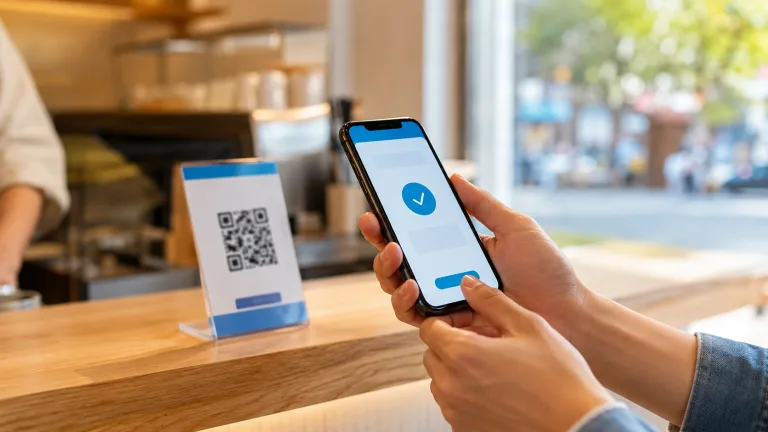

WeChat Pay for Foreigners in China (2026): Setup, Cards and Common Problems
Quick answer: Foreign visitors can use WeChat Pay in mainland China by registering WeChat with an overseas mobile number and linking an eligible international card. Visa, Mastercard and several other card networks may be supported, but acceptance still depends on the issuing bank, merchant and transaction type. Set it up before departure, complete any requested identity checks, and keep Alipay, a physical card and some RMB cash as backups.
Quick decision
- Use WeChat Pay if you already use WeChat, want one app for messaging and payments, or expect to use WeChat mini programs.
- Use Alipay as your first payment app if you prefer a more travel-focused English interface and transport tools.
- Set up both for the most resilient trip: a card that fails in one wallet may still work in the other.
- Carry cash for small purchases, outages and merchants whose QR code does not accept an overseas-funded payment.
Contents
- What you need
- How to set up WeChat Pay
- How to pay
- Fees and limits
- Common problems
- Safety checklist
- FAQ
What you need before setting up WeChat Pay
- A current version of the WeChat app from the official Apple App Store or Google Play.
- A mobile number that can receive verification messages while you travel.
- Your passport, if identity verification is requested.
- An eligible international credit or debit card with online and overseas transactions enabled.
- Access to your bank’s app or verification method for 3-D Secure approval.
Foreign-issued Visa and Mastercard cards are the most widely publicized options. Card support can change and varies by country and issuer, so the card-binding screen inside the app is the final authority for your account.
7ers Tip: Add two cards from different banks if possible. A bank’s fraud system—not WeChat Pay—often causes a first transaction to fail after arrival.
How to set up WeChat Pay with an international card
- Install WeChat and register using your own mobile number.
- Open Me, then Services or Pay and Services. Menu wording may vary by app version and region.
- Open Wallet, choose Cards, and select Add a card.
- Enter the card number, cardholder name, expiry date, security code and billing details exactly as your bank records them.
- Complete bank verification and any identity check shown in the app.
- Make a small test payment before relying on the wallet for transport or a time-sensitive booking.
Use your real name as it appears on the passport and card. Transliteration, middle names and different name order can trigger verification errors. If the app requests a passport image, use a clear photo with all edges visible and no glare.
How to pay with WeChat Pay in China
Show your payment code
At supermarkets, chain restaurants and many attractions, open WeChat, choose the payment function and present your payment code to the cashier’s scanner. Confirm the amount on screen before authorizing the transaction.
Scan the merchant’s QR code
At smaller shops, scan the merchant’s QR code, enter the amount only after the seller confirms it, and verify the merchant name. Some personal collection codes or certain merchant categories may not accept payments funded by an overseas card.
Pay inside a mini program
Hotels, food delivery services, attractions and transport providers may use WeChat mini programs. International cards do not work in every mini-program checkout, even when ordinary in-store WeChat Pay works. Keep another payment route ready.
Fees, exchange rates and transaction limits
Chinese government guidance states that overseas visitors can link international cards to WeChat Pay and Alipay. Official guidance also describes a single-transaction ceiling of US$5,000 and an annual cumulative ceiling of US$50,000 for overseas travelers using mobile payment platforms. These are platform-level ceilings, not a promise that every bank or merchant will approve an amount that large.
Published official visitor guidance has described no additional service fee for a transaction of RMB200 or less and a 3% service fee when the transaction exceeds RMB200. Check the confirmation screen because current terms, exemptions and promotions can change. Your card issuer may separately charge a foreign transaction or currency-conversion fee.
The app converts the RMB purchase through the card network and issuer. Compare the final posted amount on your statement rather than relying only on the authorization notification.
Common WeChat Pay problems and practical fixes
The card will not link
- Check that the name and billing address match the bank’s records.
- Enable overseas and online transactions in your banking app.
- Try mobile data instead of public WiFi during bank verification.
- Call the number on the back of the card and ask whether the authorization was blocked.
- Try a card from another issuer rather than repeatedly submitting the same card.
The card is linked, but payment fails
The merchant’s QR type, transaction category, amount, bank controls or network connection may be responsible. Try the merchant’s scanner instead of scanning a personal QR code, use another linked card, or switch to Alipay, a physical card or RMB cash.
Identity verification does not pass
Retake the passport image in even light, remove reflections and enter every name in the correct field. Do not create multiple accounts to work around verification, as that can make account review more complicated.
The payment code does not load
Reconnect using mobile data or a known WiFi network, fully reopen the app and check whether WeChat is requesting a security confirmation. Save offline directions and keep enough cash for the immediate purchase.
Payment safety checklist
- Download WeChat only from an official app store.
- Use a screen lock and do not share SMS or bank verification codes.
- Confirm the merchant name and amount before paying.
- Never let a stranger take your unlocked phone to “help” with setup.
- Keep bank notifications enabled and review transactions each day.
- Carry at least one backup card separately from your wallet.
- Keep a modest amount of RMB cash; lawful RMB cash remains a valid payment method in China.
FAQ
Do I need a Chinese bank account?
No. Eligible foreign visitors can link supported international cards directly to WeChat Pay. A Chinese bank account may unlock additional local functions, but it is not required for ordinary visitor payments.
Do I need a Chinese phone number?
Not necessarily. WeChat registration and visitor payment setup can work with overseas mobile numbers. Keep that number active so you can receive security messages.
Can WeChat Pay replace all other payment methods?
No. Overseas cards may not work for every merchant QR code, mini program, deposit or person-to-person transfer. Set up an alternative wallet and carry a physical card plus RMB cash.
Is WeChat Pay or Alipay better for tourists?
Both can link eligible international cards. Alipay is often easier as a standalone travel tool, while WeChat Pay is useful when a service operates inside WeChat. Using both provides better redundancy than choosing only one.
Can I send money to individuals with my foreign card?
Do not assume so. International-card support is primarily designed for eligible merchant payments. Person-to-person transfers, red packets and some personal QR codes may be unavailable or restricted.
References
- Chinese Government: Payment service guide for overseas visitors
- Chinese Government: Mobile payment transaction limits for overseas travelers
- Chinese Government: Guide to Working and Living in China (2025)